
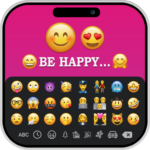
The iOS Emojis For Story app provides tools for crafting creative visual content, primarily for social media stories. It allows users to generate custom images by integrating their own text with iOS emojis. Within the app, you can input text, choose from various font styles, and apply extensive modifications such as changing colors, gradients, or using images within the text. Additionally, the app offers options to enhance these compositions with background colors, gradients, and images, enabling the creation of personalized and engaging posts.
Text and Emoji Customization
Users can enter their own text into the app and then modify its appearance through a variety of font styles. Beyond basic styling, the app supports changing text colors, applying gradient fills, or even using images as a texture for the text. Further visual effects like shadow, radius, and opacity can be applied to both text and emojis. For precise arrangement, letter spacing and line spacing features are available to align text. The app also integrates iOS emojis, including a search option to quickly find desired emojis for your creations. This functionality extends to creating Stylish Text which can be utilized for captions, bios, and chats.
Visual Backgrounds and Composition Tools
To complement your text and emoji arrangements, the app allows you to incorporate various backgrounds. You can add solid background colors, apply gradients, or use images as the backdrop for your creations. This capability is part of a more comprehensive Story Editor that includes backgrounds and stickers, enabling a broader range of visual compositions for your story posts.
Saving and Workflow
After designing your image with custom text, iOS emojis, and chosen backgrounds, the final output can be saved directly to your device’s gallery. Once saved, these images are readily available to be selected from your gallery and added to your social media stories, allowing you to integrate your unique designs into your shared content.







Write a review